
Small SVG files are easier to cache, review, and ship, but the smallest possible file is not always the best file. An SVG is both an image and a document. Its paths draw the artwork, while attributes can control scaling, gradients, masks, accessibility, CSS, animation, and code that targets a particular element. A useful reduction workflow removes overhead without quietly deleting those relationships.
This guide starts from a protected source copy, measures a real delivery copy, and checks the optimized result before it reaches production. It is deliberately different from clicking an “optimize everything” button. The goal is a file whose reduced byte count you can explain and whose behavior you can still trust.
Why an SVG becomes larger than expected
Design tools optimize for editable documents and reliable re-import, not only for network delivery. A Figma or Illustrator export may contain editor namespaces, comments, metadata, long decimal coordinates, verbose transforms, generous whitespace, and IDs that were useful inside the editor. A generator may produce repeated geometry or excessively precise values. A hand-authored icon may already be close to its sensible minimum.
Those causes matter because they suggest different remedies. Comments and editor metadata are usually safe candidates for a delivery copy. Long coordinates may be shortened after a visual comparison. Repeated shapes may be reusable with symbol and use, but that structural rewrite can make a file harder for a designer to edit. An embedded raster image can dominate the total size even when the surrounding SVG markup is tiny. A font converted to outlines can create hundreds of path commands that no XML minifier can meaningfully remove.
Before changing anything, inspect what actually occupies the file. Compare markup, embedded data, and geometry rather than assuming every kilobyte is “bloat.” The reason a file is large is more useful than the number alone.
Keep the editable source separate from the delivery copy
Save the original export in a source location before optimization. If the artwork came from a design file, keep that design file as the authority. Name the optimized file so reviewers can distinguish it from the editable master. This simple boundary prevents a later request—change the corner radius, update a wordmark, restore an animation—from depending on a transformed delivery artifact.
Source control is also part of the safety net. Commit the original or store it in the team’s approved asset system, then review the optimized copy as a separate diff. A clear diff can show that comments disappeared while viewBox, aria-labelledby, and referenced IDs stayed in place. Binary screenshots cannot show those relationships, so retain the text file too.
Do not overwrite the only copy merely because the preview looks correct at one size. A broken responsive crop or missing accessible name may be invisible in that single preview. Reversibility is a quality feature, not administrative overhead.
Establish a byte baseline
Measure the exact UTF-8 bytes of the SVG you intend to ship. File-manager numbers may round to kilobytes, and character counts can differ from byte counts when titles or descriptions contain non-ASCII text. The compressor should report the source and result using the same byte definition.
Record the filename, preset, original bytes, optimized bytes, and any warning. If an optimized file grows, keep the original delivery copy rather than inventing a positive saving. A one-byte reduction is still a truthful result, but it may not justify another transformation in the pipeline.
Compression percentages also need context. Removing 175 bytes from a 374-byte editor fixture is a substantial proportional change. Removing 14 bytes from a 431-byte accessibility-focused icon is modest, but preserving its semantic connections is more important than forcing a dramatic percentage.
Use a preservation-first sequence
Begin with deterministic cleanup: XML declarations or doctypes that your delivery context does not need, comments, editor metadata, and attribute formatting. Then compare the rendering. Only after that should you consider rounding numeric values, compacting path data, converting colors, or simplifying transforms.
The order keeps diagnosis simple. If a safe pass succeeds and a more compact pass changes the shape, the risky step is isolated. If you combine dozens of transformations at once, a reviewer has to reverse-engineer a much larger diff.
Use the browser-local SVG compressor when you want a measured Safe or Balanced pass without uploading the file. Start with Safe for logos, accessible icons, animated assets, and components with code hooks. Try Balanced only when the preview, geometry, and integration checks can be repeated.
Check the viewBox and responsive behavior
The viewBox defines the coordinate system that lets an SVG scale. Removing it can turn a responsive asset into a fixed-size drawing or change how preserveAspectRatio behaves. Confirm that the optimized file retains the expected four values and renders at several CSS sizes.
Test both intrinsic use and the actual embedding method: an <img>, a CSS background, an inline component, or a sprite. A file can look fine when opened directly but crop inside a component whose width and height constraints differ. Check narrow and wide containers, high-density displays, and any intentional overflow.
Width and height attributes are not automatically wrong. They can reserve layout space and reduce cumulative layout shift. Decide whether they belong in the file based on the integration contract rather than deleting them mechanically.
Protect IDs and every reference to them
IDs connect gradients, masks, clip paths, filters, ARIA labels, CSS selectors, and scripts. A tool that renames or removes IDs may preserve a simple preview while breaking an inline component or a page containing multiple copies. Search for url(#...), href="#...", aria-labelledby, aria-describedby, CSS selectors, and application code before accepting ID cleanup.
When multiple SVGs are inlined on the same page, duplicate IDs can also collide. The safe response is not necessarily global ID deletion. Prefixing IDs at build time, scoping the component, or using a carefully configured optimizer can be more reliable. Document the strategy so the next export follows the same rule.
For a single-file image loaded through <img>, internal references remain isolated. For inline markup, the surrounding document matters. Test the delivery form you actually use.
Preserve accessibility, titles, and descriptions
An informative SVG may use <title>, <desc>, role="img", and ARIA references to provide an accessible name or explanation. A decorative asset may intentionally use aria-hidden="true". Optimization must preserve the chosen accessibility contract, not impose one universal pattern.
After optimization, inspect the accessibility tree in the target page. Confirm that referenced title and description IDs still exist and that the accessible name is neither missing nor duplicated by adjacent text. If the SVG is an image file, remember that the HTML alt attribute participates in the final experience. If it is inline, the SVG’s internal semantics may be more important.
Do not keep meaningless editor titles merely because removing all titles feels unsafe. First decide what the asset communicates, then preserve the useful semantics deliberately.
Test CSS, animation, and interaction
SVG can contain classes, presentation attributes, a <style> element, SMIL animation, and attributes used by JavaScript. A static preview catches only the initial frame. Exercise hover, focus, theme changes, animation loops, and any state transition driven by the application.
If CSS lives outside the file, confirm that class names and data hooks survive. If animation targets an ID, confirm that target and timing attributes remain. If scripts or event handlers arrived from an untrusted source, do not treat visual preservation as permission to execute them. A safety-oriented optimizer should remove active script content and report that intervention.
External resources deserve separate scrutiny. Remote stylesheets, external image URLs, and relative resource paths can create privacy, reliability, and security problems. Validate or reject them before optimization rather than hoping minification makes them harmless.
A measured accessibility fixture
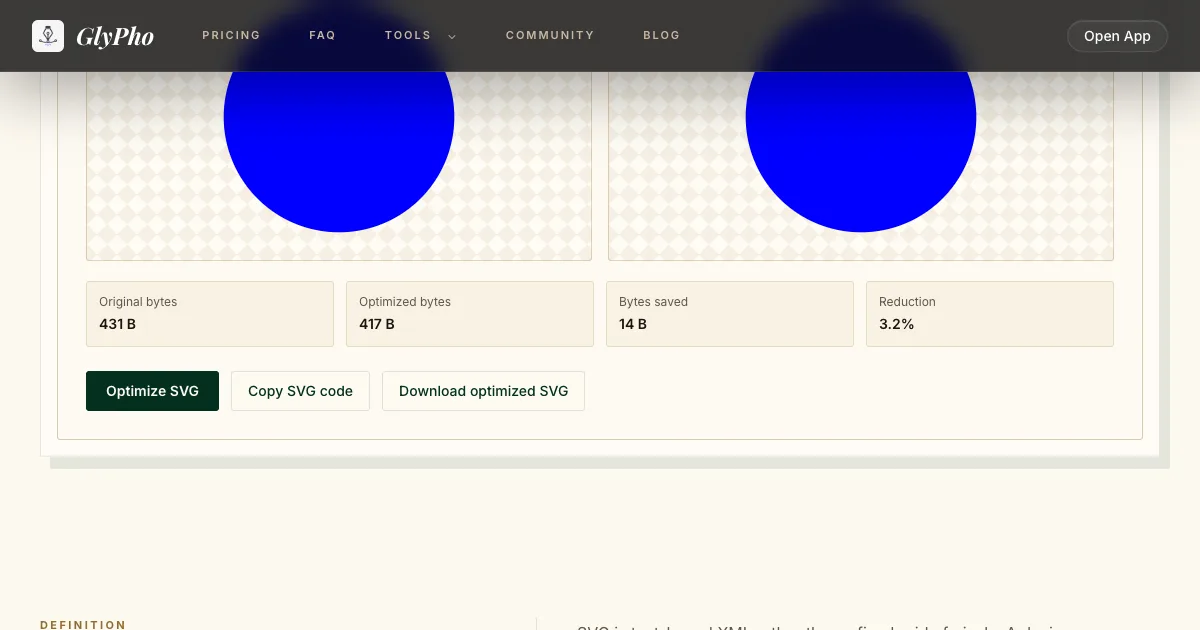
For a concrete check, we ran the repository’s aria-ids.svg fixture through the same Safe optimizer used by the tool. The source was 431 bytes and the result was 417 bytes, a 14-byte reduction, or about 3.25 percent. The optimizer returned no warnings and produced valid SVG markup.
The small saving is the point of this example. The fixture includes a viewBox, aria-labelledby, a title, a description, a mask ID, a class, and a data hook. Both Safe and Balanced regression tests verify that those structures remain. Trading those contracts for a larger-looking percentage would be a failure, not an optimization.
The risk check therefore passed only after confirming the referenced IDs, accessible labels, mask, class, and hook remained in the output. The number is not an average claim. It describes one known fixture with one preset.
Understand minification versus transfer compression
Markup optimization changes the SVG source. Gzip and Brotli compress bytes during storage or HTTP transfer and restore the original text before the browser parses it. They solve related but different problems.
A verbose SVG may compress well over the network because repeated XML tokens are predictable, yet it still costs more in the repository, bundle, parse stage, and cache when stored uncompressed. A minified SVG can still benefit from Brotli. Use both where appropriate: a reviewed delivery copy in source control, then server-level content encoding for transfer.
SVGZ is a gzip-compressed SVG file format. Browser and tooling support can be less convenient than serving a normal .svg with correct Content-Encoding, so verify the actual platform before adopting it. Do not rename a gzipped file and assume every consumer will decode it.
Know when the file cannot become much smaller
Some files are already compact. Others are dominated by essential path data, embedded images, or outlined text. If the optimizer removes one byte from a 57-byte icon, it has not failed; there may simply be no safe overhead left.
At that point, reconsider the asset rather than increasing optimizer aggression blindly. Can a photographic texture become an external WebP with an explicit privacy policy? Can a complex illustration be split by route so it is not loaded everywhere? Can repeated icons become a sprite or component library? Can text remain real text instead of outlines? Those are design and architecture choices, not minifier switches.
Also compare the SVG with realistic HTTP compression. A source rewrite that saves a few raw bytes but damages readability may produce no meaningful Brotli improvement. Keep code comprehensible when humans maintain it.
Build a repeatable release checklist
Before publishing, keep the original, record the byte baseline, run Safe, and compare both previews. Verify viewBox, width and height behavior, IDs and references, accessibility names, classes, CSS, masks, gradients, animation, and code hooks. Reject unexpected external resources. Run the asset in its real component and at the sizes users see.
If Balanced produces a meaningful additional saving, repeat every relevant check. Commit the optimized delivery copy with a note about the preset and measured bytes. Confirm that your server still applies Gzip or Brotli where appropriate. Avoid claims about an average percentage unless you have measured a representative corpus.
This discipline makes optimization boring in the best way: every transformation has a reason, every risk has a check, and the source can be restored.
Continue with a workflow-specific guide
Editor exports have their own cleanup traps, especially hidden layers and shared paint IDs; see the Figma SVG export workflow. Generated vectors need provenance, accessibility, and code-hook review; use the production checklist for AI-generated SVG. If the terminology itself is confusing, the comparison of compressors, optimizers, and minifiers explains where SVGO, Gzip, Brotli, and SVGZ fit.